The Basement Player
The Basement Player
TBP is an AI platform for algorithm model construction that helps designers quickly create underground parking layouts. Its intuitive interface allows users to generate tailored designs without AI expertise, while also supporting personalized edits.
As the UX designer, I worked on UI, interaction, visual identity, and product functionalities, collaborating with a team of over 30 members, including product managers, designers, and engineers.
TBP is an AI platform for algorithm model construction that helps designers quickly create underground parking layouts. Its intuitive interface allows users to generate tailored designs without AI expertise, while also supporting personalized edits.
As the UX designer, I worked on UI, interaction, visual identity, and product functionalities, collaborating with a team of over 30 members, including product managers, designers, and engineers.
Role
Role
UX/UI Designer
UX/UI Designer
Responsibilities
Responsibilities
0 → 1
0 → 1
UX Design
UX Design
Graphic Interaction
Graphic Interaction
Visual Design
Visual Design
Timeline
Timeline
2022 - Present
2022 - Present
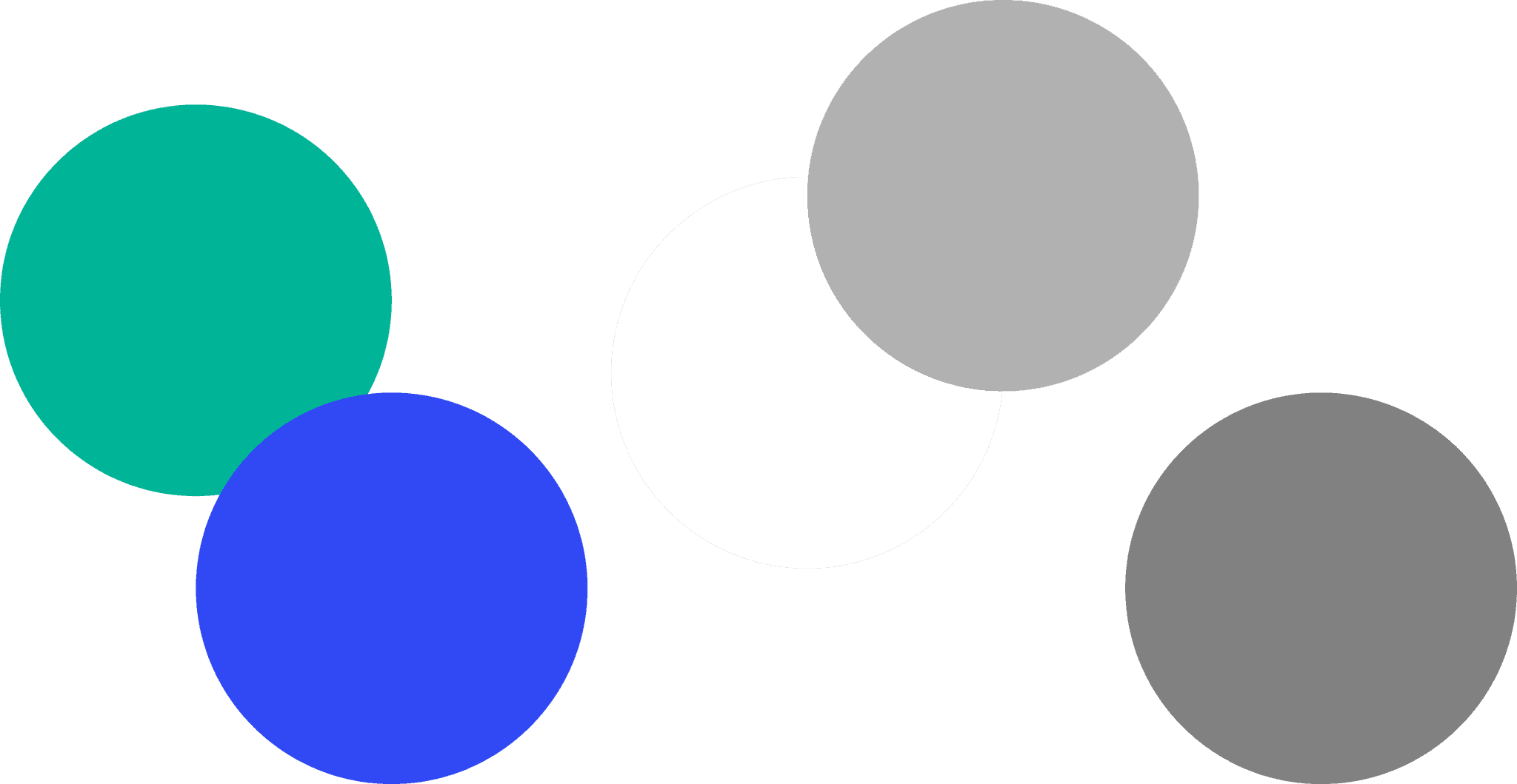
As a pioneering product in the architecture and technology industry, TBP uses a blue-green color scheme and rounded design to convey a modern, friendly, and relaxed feel. The light/dark mode toggle aligns with user preferences.
As a pioneering product in the architecture and technology industry, TBP uses a blue-green color scheme and rounded design to convey a modern, friendly, and relaxed feel. The light/dark mode toggle aligns with user preferences.
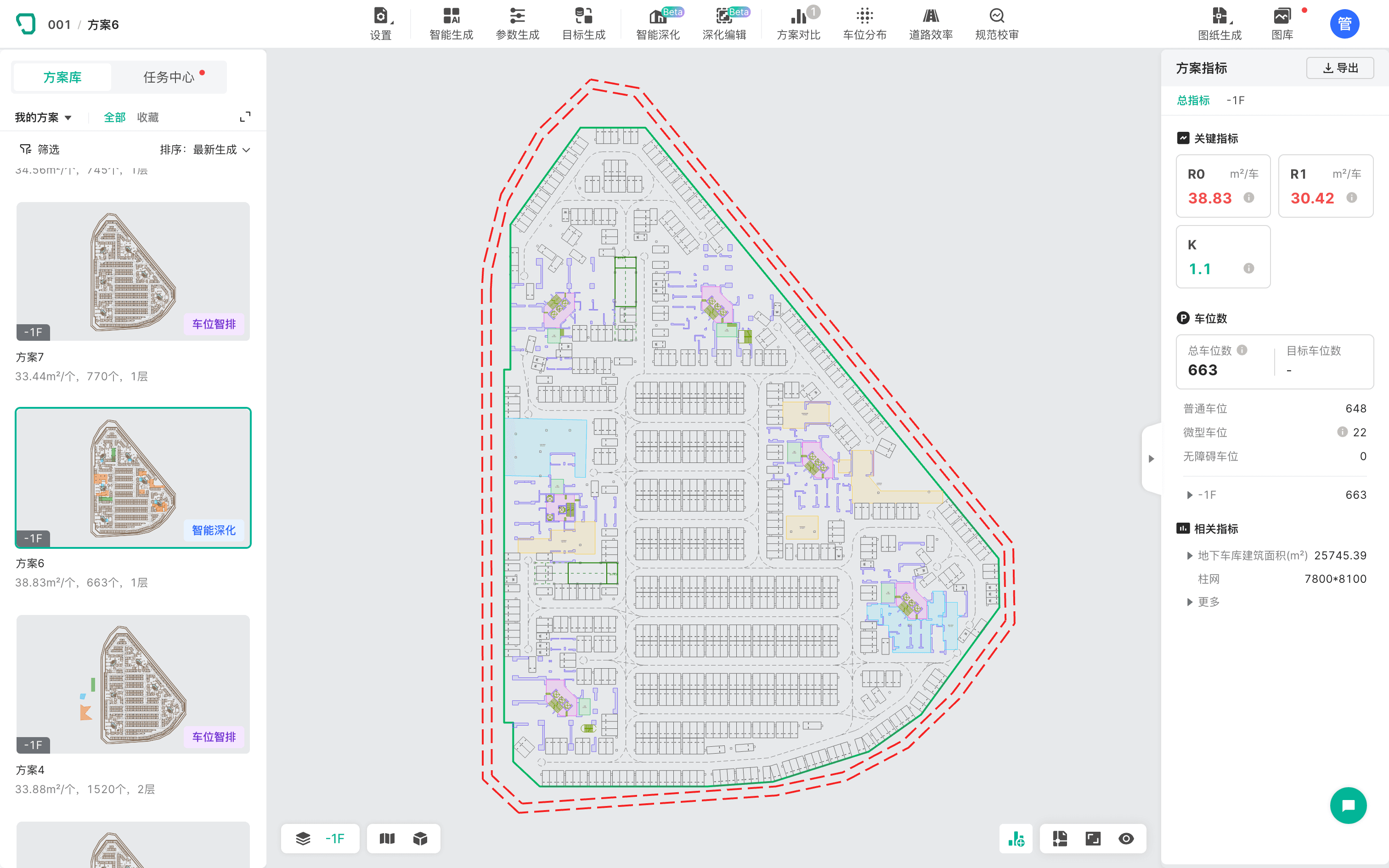
The TBP product interface features a top section for quick access to various functional modules. The left side contains a solution library with thumbnails reflecting key elements in a 1:1 ratio, displaying important metrics for easy browsing. The right side presents detailed metrics, categorized by importance for quick access to key information.
I referenced layouts from various design platforms, aligning them with the product's goal of "rapidly generating multiple solutions." This design provides a clear information hierarchy while showcasing the product's core capabilities.
The TBP product interface features a top section for quick access to various functional modules. The left side contains a solution library with thumbnails reflecting key elements in a 1:1 ratio, displaying important metrics for easy browsing. The right side presents detailed metrics, categorized by importance for quick access to key information.
I referenced layouts from various design platforms, aligning them with the product's goal of "rapidly generating multiple solutions." This design provides a clear information hierarchy while showcasing the product's core capabilities.
The interface features a one-click switch between light and dark modes to meet user preferences. The initial version used a light mode, but based on user feedback, a dark mode was introduced. While maintaining two color systems, the central canvas elements cannot change colors due to technical limitations, so a single color palette must be used for both modes.
The interface features a one-click switch between light and dark modes to meet user preferences. The initial version used a light mode, but based on user feedback, a dark mode was introduced. While maintaining two color systems, the central canvas elements cannot change colors due to technical limitations, so a single color palette must be used for both modes.
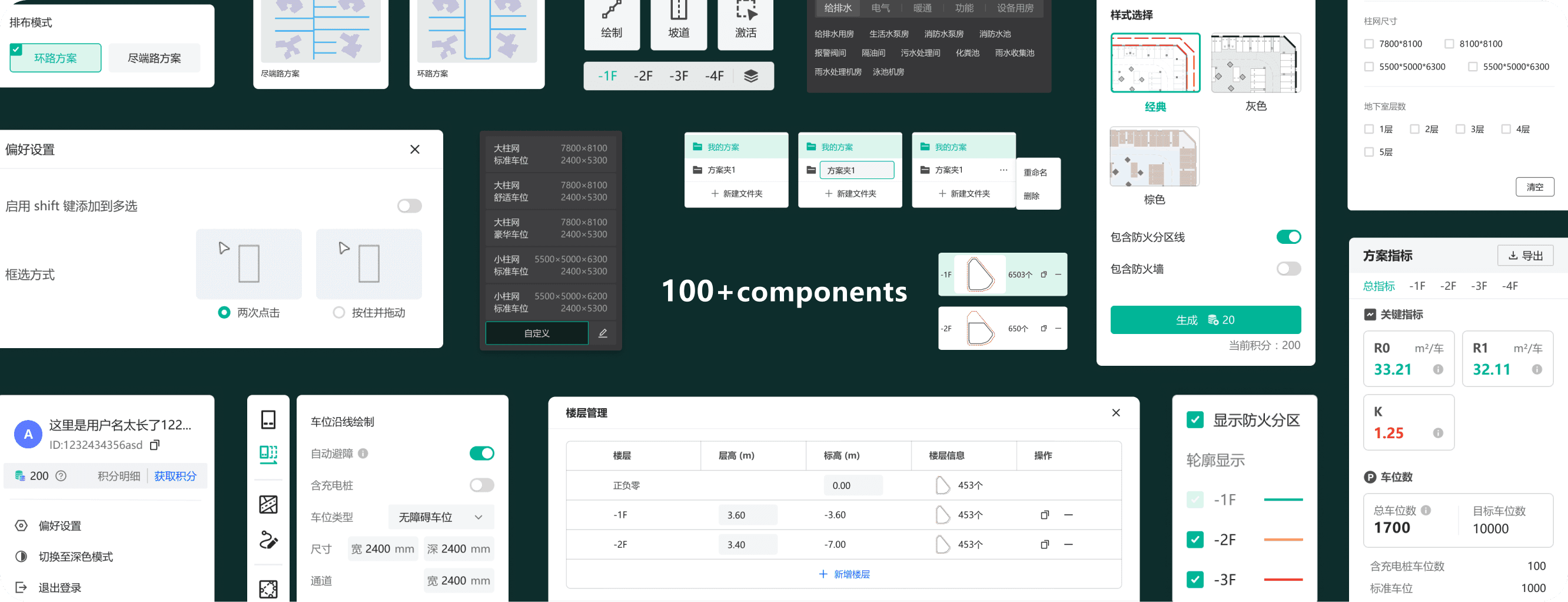
The generated plans are stored in the solution library, with various filtering and categorization options based on key architectural indicators. This helps users quickly browse and compare metrics to find their ideal solution. Subsequent generation and editing are based on existing plans, so features like saving, renaming, and creating folders have been designed to facilitate easy organization and marking of plans.
The generated plans are stored in the solution library, with various filtering and categorization options based on key architectural indicators. This helps users quickly browse and compare metrics to find their ideal solution. Subsequent generation and editing are based on existing plans, so features like saving, renaming, and creating folders have been designed to facilitate easy organization and marking of plans.
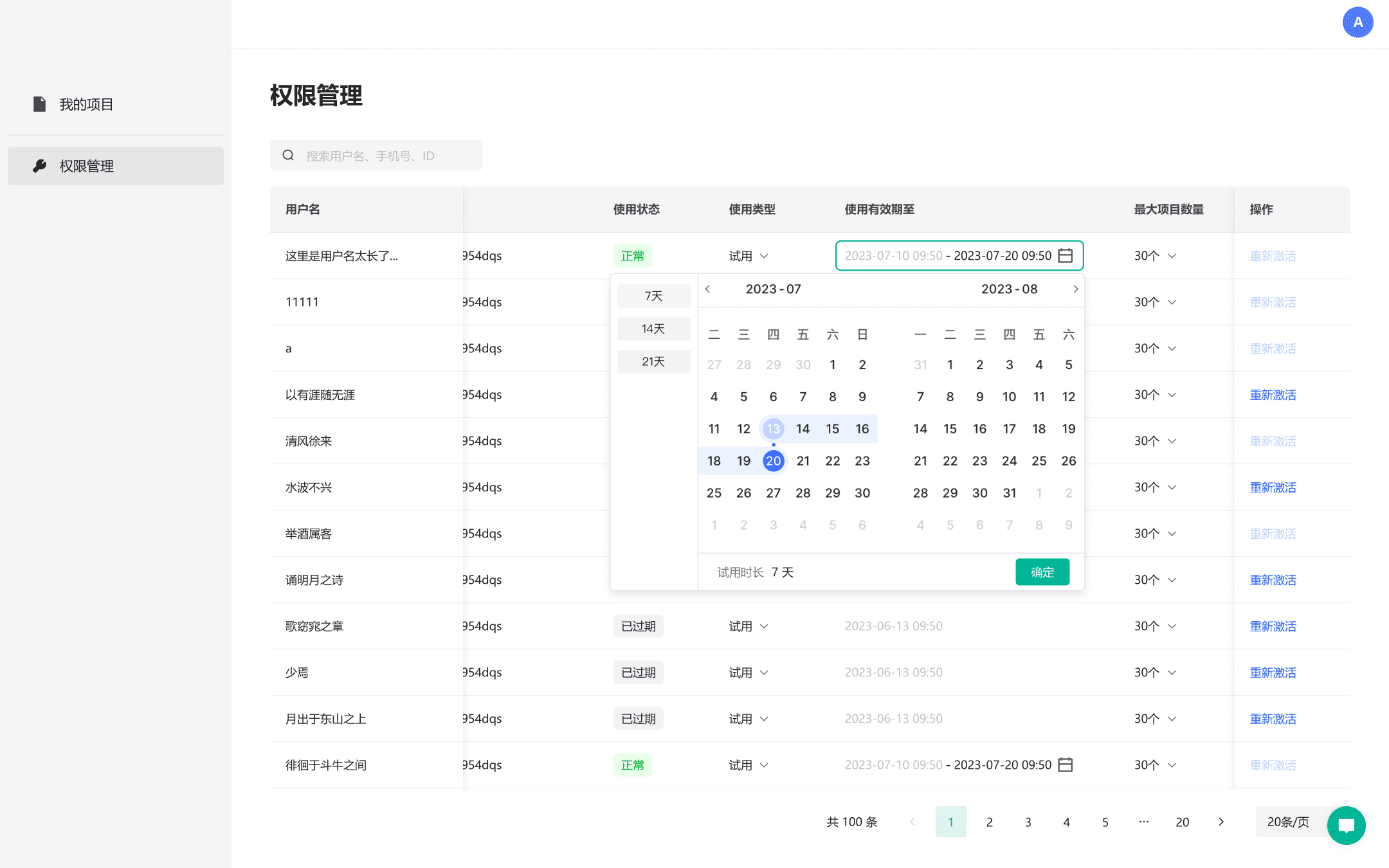
As the user base grows, the platform introduced a permissions management feature to manage access for external users. To facilitate extending trials, users are required to submit their phone number or ID to customer service. I proposed a search function that supports multiple identifiers (username, phone number, ID) for quick user lookup, which received positive feedback post-launch. The management interface includes quick options for duration and supports customization, with a clear total time display at the bottom for better visibility.
As the user base grows, the platform introduced a permissions management feature to manage access for external users. To facilitate extending trials, users are required to submit their phone number or ID to customer service. I proposed a search function that supports multiple identifiers (username, phone number, ID) for quick user lookup, which received positive feedback post-launch. The management interface includes quick options for duration and supports customization, with a clear total time display at the bottom for better visibility.
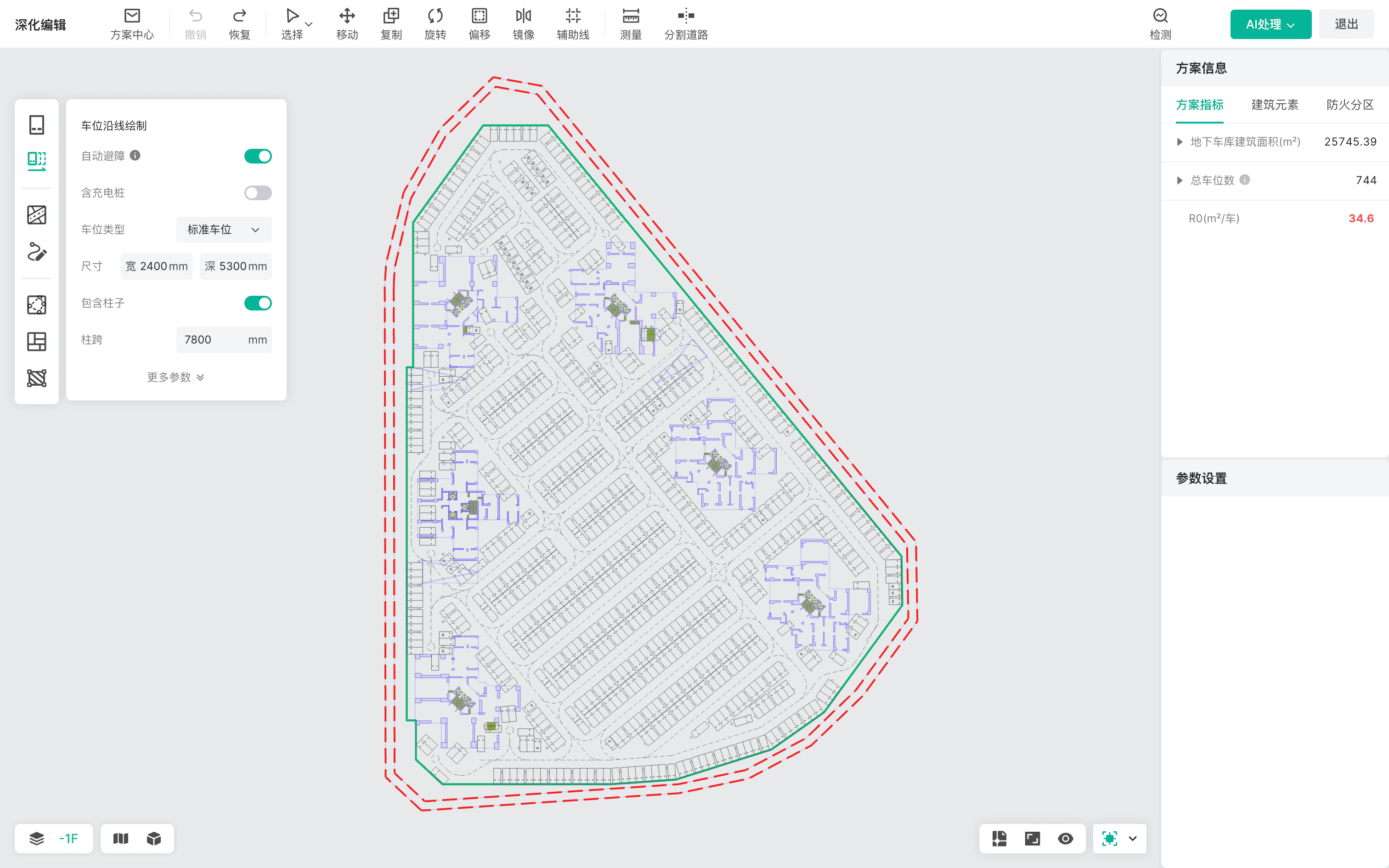
The editing interface enables users to manually adjust graphical elements. To align with designers' habits, we researched architectural design tools like AutoCAD, Rhino, and Revit, focusing on their operational logic, interactions, shortcuts, and designers' workflows. Basic operations are intuitive, while unique editing features include clear prompts for quick learning.
For the "selection mode," we found significant variations in user preferences. CAD-focused users tend to favor a default multi-select approach, while those more familiar with Adobe and 3D products adapt quickly to a default single-select mode. As a result, we have updated the platform to include customizable selection modes.
The editing interface enables users to manually adjust graphical elements. To align with designers' habits, we researched architectural design tools like AutoCAD, Rhino, and Revit, focusing on their operational logic, interactions, shortcuts, and designers' workflows. Basic operations are intuitive, while unique editing features include clear prompts for quick learning.
For the "selection mode," we found significant variations in user preferences. CAD-focused users tend to favor a default multi-select approach, while those more familiar with Adobe and 3D products adapt quickly to a default single-select mode. As a result, we have updated the platform to include customizable selection modes.
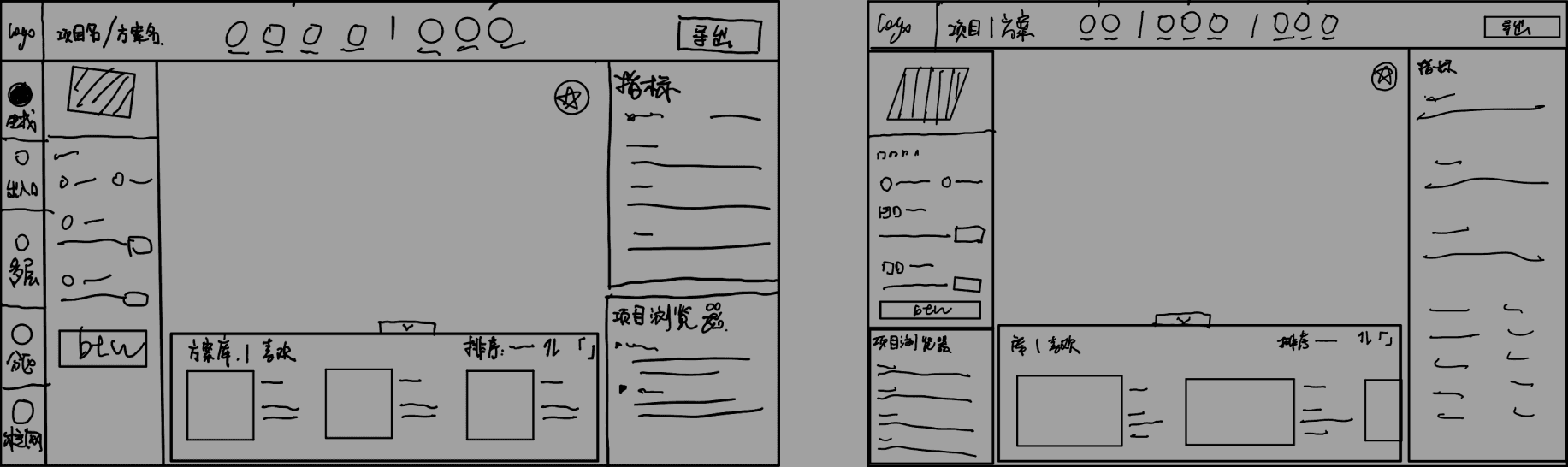
The Beta 2.0 prototype sketches demonstrate multi-dimensional generation capabilities for various solutions. As the UX designer, I led multiple iterations and upgrades of the interface during the development process.
The Beta 2.0 prototype sketches demonstrate multi-dimensional generation capabilities for various solutions. As the UX designer, I led multiple iterations and upgrades of the interface during the development process.
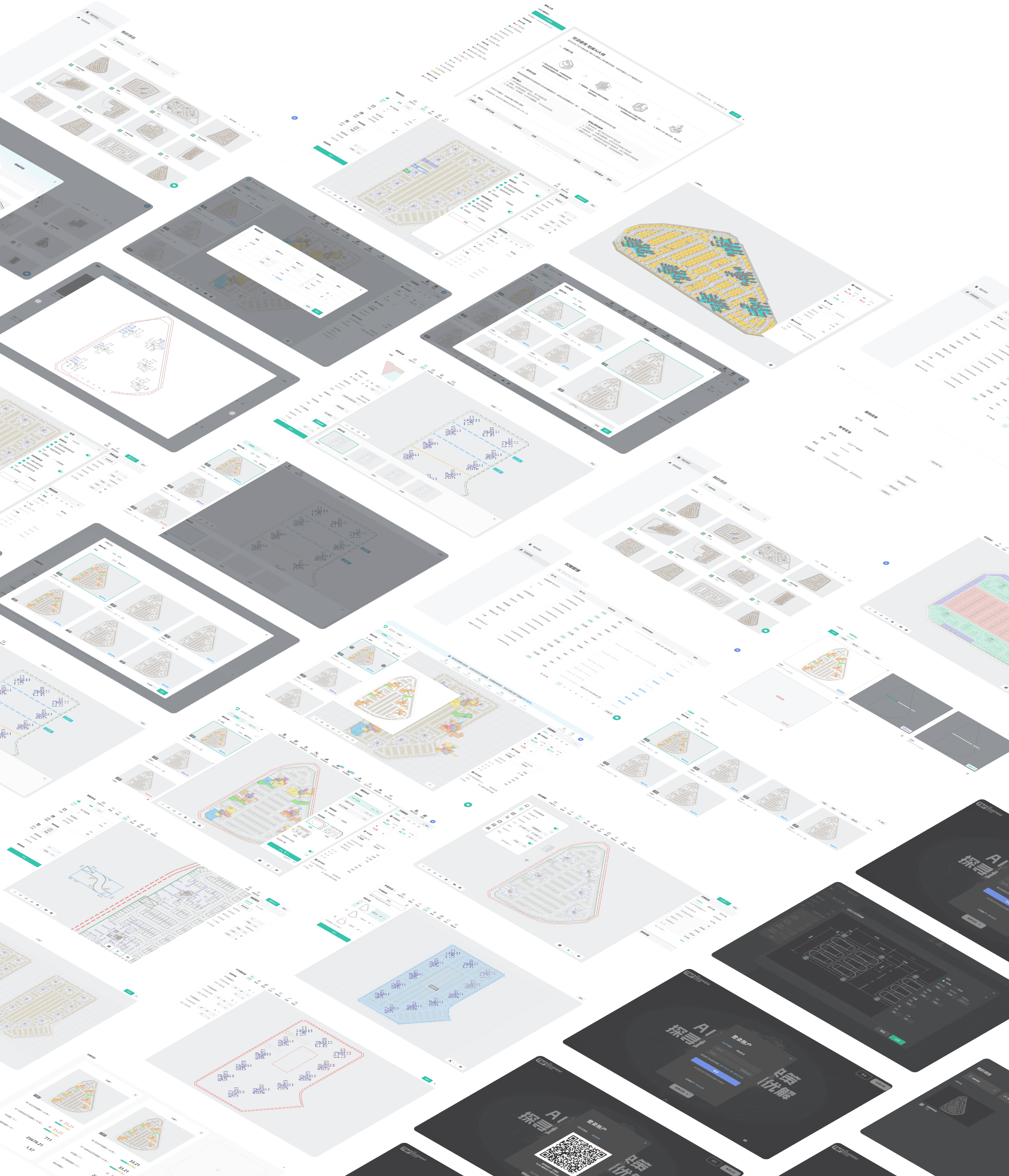
The product is now live, feel free to explore: www.basementplayer.com
The product is now live, feel free to explore: www.basementplayer.com

